- What is the diff between UTF and Unicode ? Are they same ?
- How emojis gets stored in computer ?
- Is ASCII still used today ?
- UTF-8 vs UTF-16 vs UTF-32. Which one should we use ?
- “UTF-8 is backward compatible with ASCII”, What does it mean ?
If you have the same doubts, well you have come to the right place, read this blog till the end and thank yourself
The Problem : How do we store alphabets, symbols in computer ?
We can easily represent a number as a binary and store it in computer. So, What if we map each character(it can be either alphabet or any symbol) to a unique number and store in computer memory?
Well, that’s exactly what ASCII is (American Standard Code for Information Interchange), Introduced in 1963, simplest character encoding standard that maps characters to numbers. It uses 7 bits for each character, so total 128 characters are possible 2 ^ 7 = 128 i.e., values from 0 to 127
Refer to the ASCII chart.
'A' -> 65 // 01000001 - this is how 'A' gets stored in computer
'B' -> 66
'a' -> 97
'1' -> 49
' ' (space) -> 32
“Hi” text gets stored as 0100100001100111 in binary Let’s see how:
| Character | ASCII Code | Binary |
|---|---|---|
| H | 072 | 01001000 |
| i | 103 | 01100111 |
The process of representing ‘H’ as 72(01001000) is called encoding. converting back 01001000 into ‘H’ is called decoding.
So no. of characters == no. of bytes in ASCII
But wait most computers in old days used 8-bit bytes (they read and store data in 8-bit chunks). And ASCII uses only 7 bits for each char, so 1 bit is unused. That means we can add 128 more characters 2 ^ 8 = 256. First 128 characters are fixed and the remaining 128 (from 128 to 255) can be customized, depending on the region and language needs.
But what if two people from different countries wants to exchange messages ? leads to lot of confusion right ?
ASCII Limitations:
- Only english characters are standardised
- No standard for handling characters from other languages like Hindi, Japanese etc..
So we need a universal encoding system where every computer in the world can understand all the languages. If I send some message in Japanese to my friend in US he should be able to see the Japanese. Well that’s where UNICODE came into the picture.
UNICODE
A Universal character set introduced in 1991 which includes all the characters from different languages. It’s like a big dictionary where a unique code-point(a number basically) is assigned to each character. Even emojis are part of this standard.
As of 2025, total 159,834 unicode-points are assigned to different characters and emojis. Maximum theoretical capacity is 1,114,112 so we have plenty of room for future additions. (remember new emojis gets added yearly ?)
Unicode Point Mapping:
'H'  -> U+0048 (a hexadecimal value)
'🐱' -> U+1F431
The decimal equivalent of U+0048 (Hex -> 0x48) is 72. wondering how ?
(4 × 16¹ + 8 × 16⁰) = 72
If we observe carefully, letter H in ASCII is also 72. So the first 128 characters in Unicode are same as ASCII to support backward compatibility.
But wait how do we store U+1F431 in memory ? Remember, Unicode is not an encoding. It’s just a standard that assigned numbers to all the characters. So we need a encoding mechanism to store the Unicode Points.
That’s where UTF(Unicode Transformation Format) comes into the picture. UTF was designed by the genius minds Ken Thompson and Rob Pike. Yes, the same legends who created Golang.
A unicode-point takes anywhere between 1-4 bytes to store. So how about assigning 32-bits for each Unicode Point ? Well, that is what UTF-32 does.
UTF-32
In this encoding every codepoint is stored in memory using fixed 32 bits. But you noticed the problem right, it consumes more space. As we saw earlier, letter H Unicode value is U+0048 and it’s binary is 01001000. We just need 8 bits to store it. But UTF-32 encoding stores it as 00000000000000000000000001001000 lot of space is wasted. Some Unicode points require more space but few require less space. How do we solve this problem and reduce the memory consumption. Well that’s where the magic happened, we have a new encoding system called UTF-8.
UTF-8
UTF-8 variable length encoding, uses 1 to 4 bytes per character depending on the unicode point. And this is the most widely used encoding system. Wait, If UTF-8 encodes each unicode point in different byte sizes how does it decodes back ? I mean how do we group the next x bytes to display one unicode point ? (x can vary from 1 to 4)
This byte grouping will be done based on the below pattern. If it starts with 11110xxx then we have to group next 4 bytes to form one unicode point.
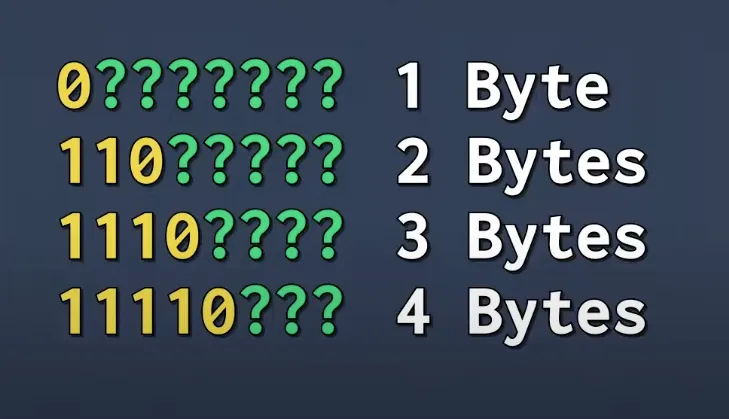
Let’s encode one emoji using UTF-8 and see how that works:
Emoji 💩 (U+1F4A9) requires 4 bytes so the first byte should look like 11110xxx and the remaining continuation bytes will look like 10xxxxxx. And these question marks are empty places where we can store 1F4A9
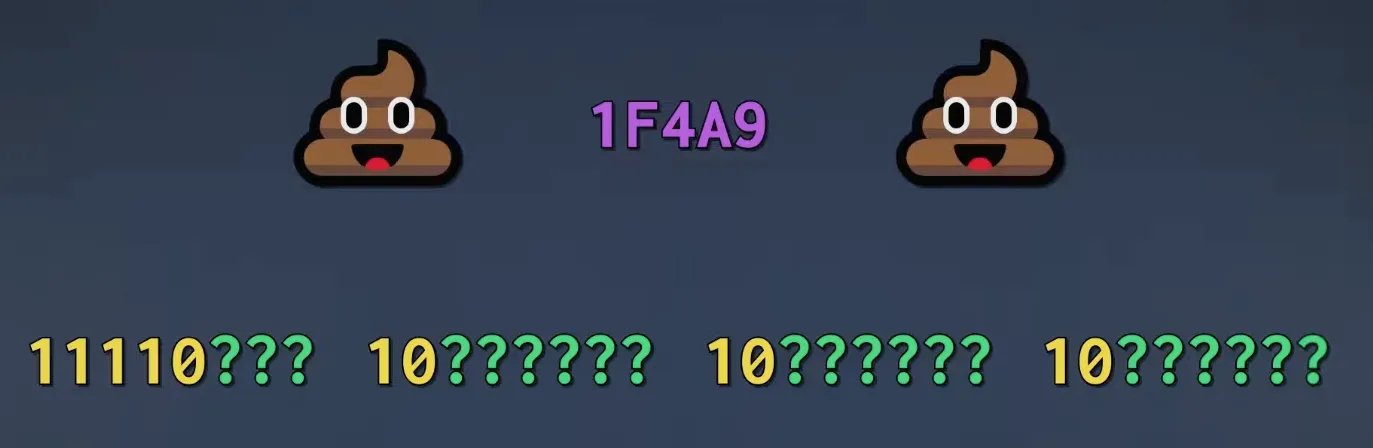
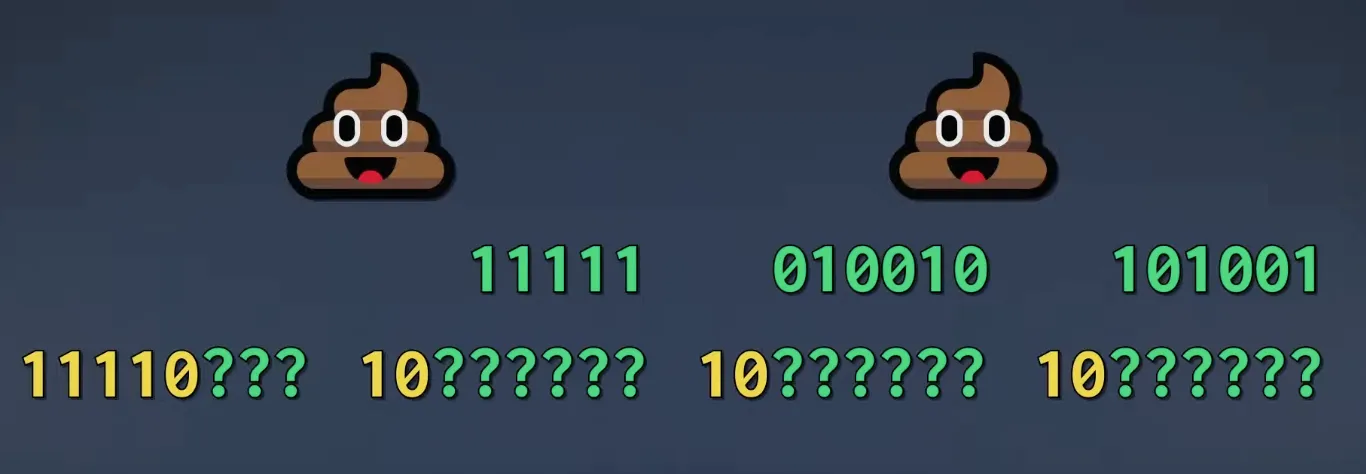
If we convert 1F4A9 into decimal we will get 128169 -> 11111010010101001.
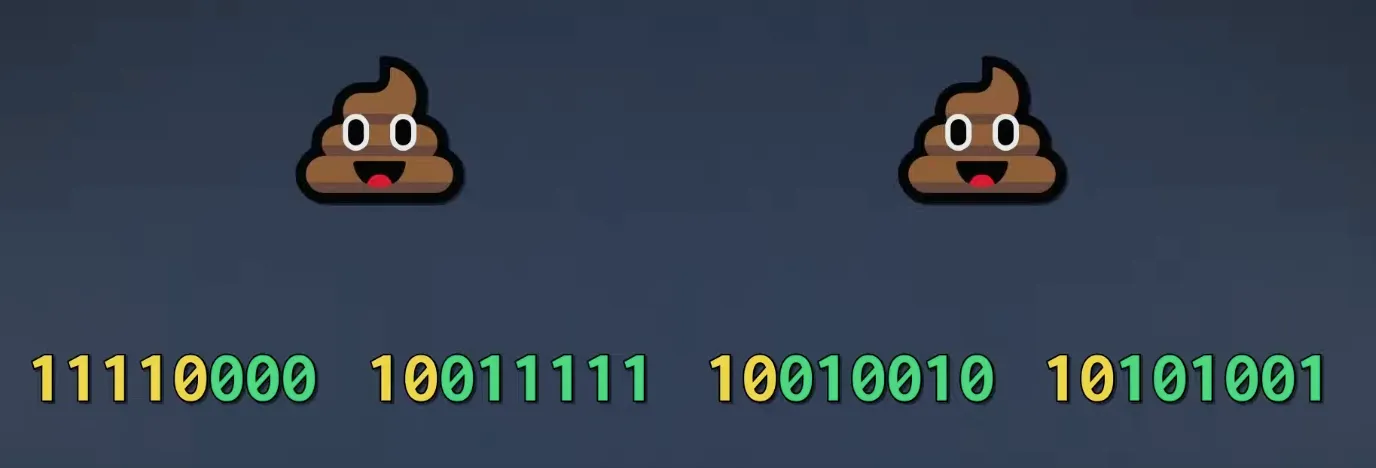
So starting from right we can divide our binary and fill in the empty places. And the whole binary gets stored in memory.
[All the above Images are from NoBS Code Youtube Channel]
Go uses UTF-8 encoding.
You can verify it by using len() function. len() function return the length in bytes
fmt.Println(len("A")) // prints 1
fmt.Println(len("🐱")) // prints 4
// cat emoji takes 4 bytes in utf-8 encoding
So be careful while iterating through the strings in GO. Use for…range loop instead of for…in
var name = "नमस्ते"

fmt.Println("len of name: ", len(name)) // 18

for i := 0; i < len(name); i++ {
	fmt.Printf("i : %v and char : %c\n", i, name[i])
}

// this is the correct way
for i, unicodePoint := range name {
	fmt.Printf("i : %v byte : %c and rune: %c\n", i, name[i], unicodePoint)
}
How does our computers, phones know when new emojis are added ?
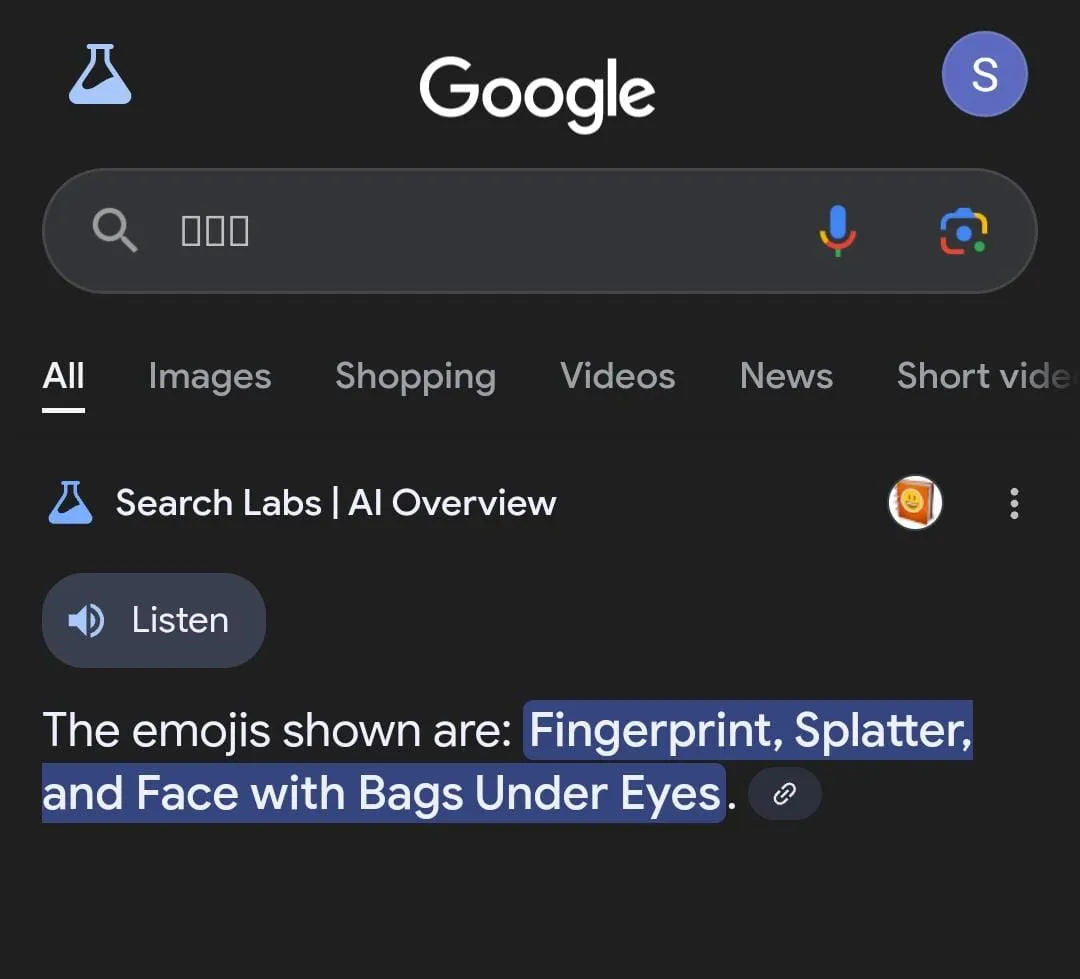
When new emojios are introduced, if we don’t update our software we will see the new emojis like ☐ this. Instead of the actual emoji.
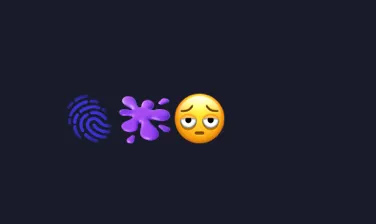 These are few new emojis added in Unicode 16.0 version and I copied them into Google search bar on my phone and this is what I got. Google app on my phone is not able to recognize these emojis, so I had to update my google App.
Base64
The Problem : How do we transfer binary data(like images, files) over text-based protocols like HTTP, JSON ?
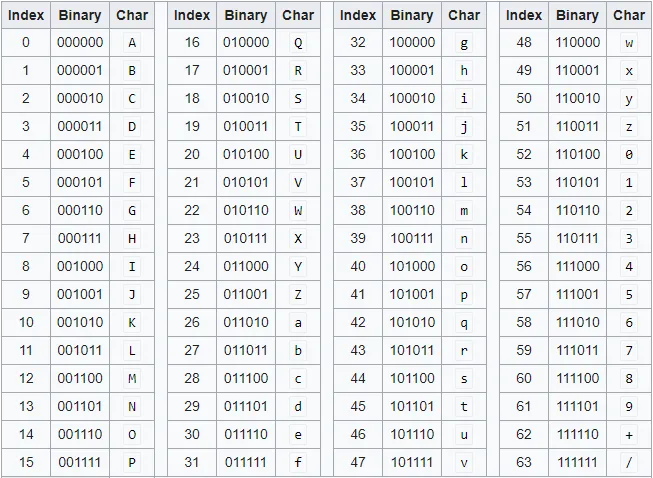
If we convert each byte into character using ASCII, some of the ASCII characters are non-printable and what if we get ” double-quote when we convert byte into text ? It will break the JSON right ? So we need a reliable way to represent binary data as printable text. That’s where base64 comes into the picture. It groups every 6 bits and replaces the group with corresponding character as per the below table.
str := "Hey"
strInBytes := []byte(str) // [72 101 121]
// H - 72
// e - 101
// y - 121
encoded := base64.StdEncoding.EncodeToString([]byte(msg))
fmt.Println(encoded) // SGV5
Base64 encoding of Hey -> SGV5.
Size of Hey is 3 bytes long → 3 × 8 = 24 bits → 24 / 6 = 4 Base64 characters (SGV5).
Note: Base64 is only for safely transmitting binary data online, not for storing purpose like ASCII and Unicode.